 SCREEN
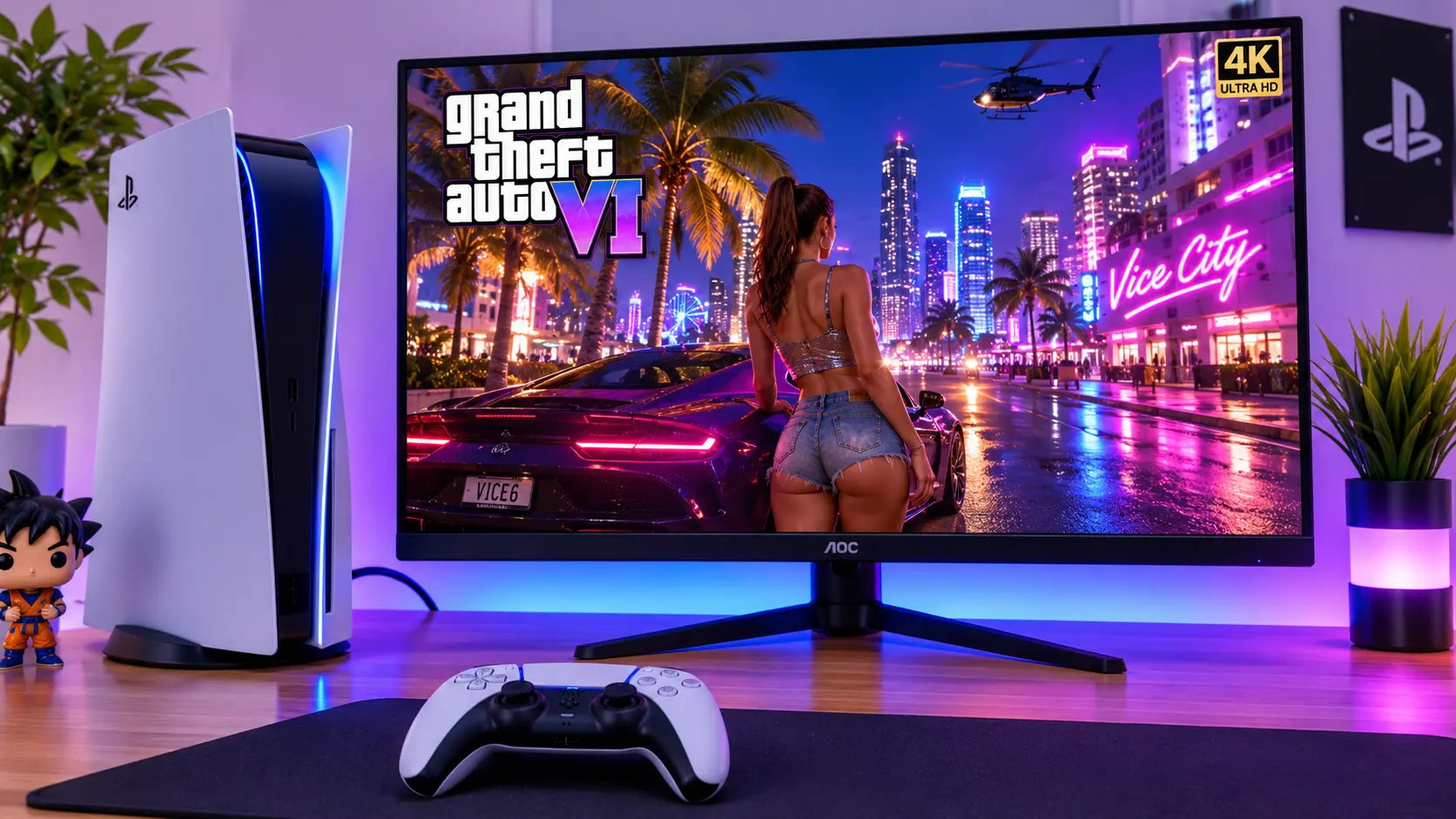
📌 Technician's Quick Summary (TL;DR): If you are playing GTA VI on a PS5 or Xbox Series X at a desk, ignore most PC monitor advice. You do not need 240Hz. Here is what actually matters.
- Size & Resolution: A 32-inch 4K panel is the sweet spot. It gives you the immersion of Vice City without the pixel density problems of 1080p at that size.
- The Port That Matters: You need HDMI 2.1. Without it, you cannot receive a 4K 120Hz signal from the console. DisplayPort is for PC.
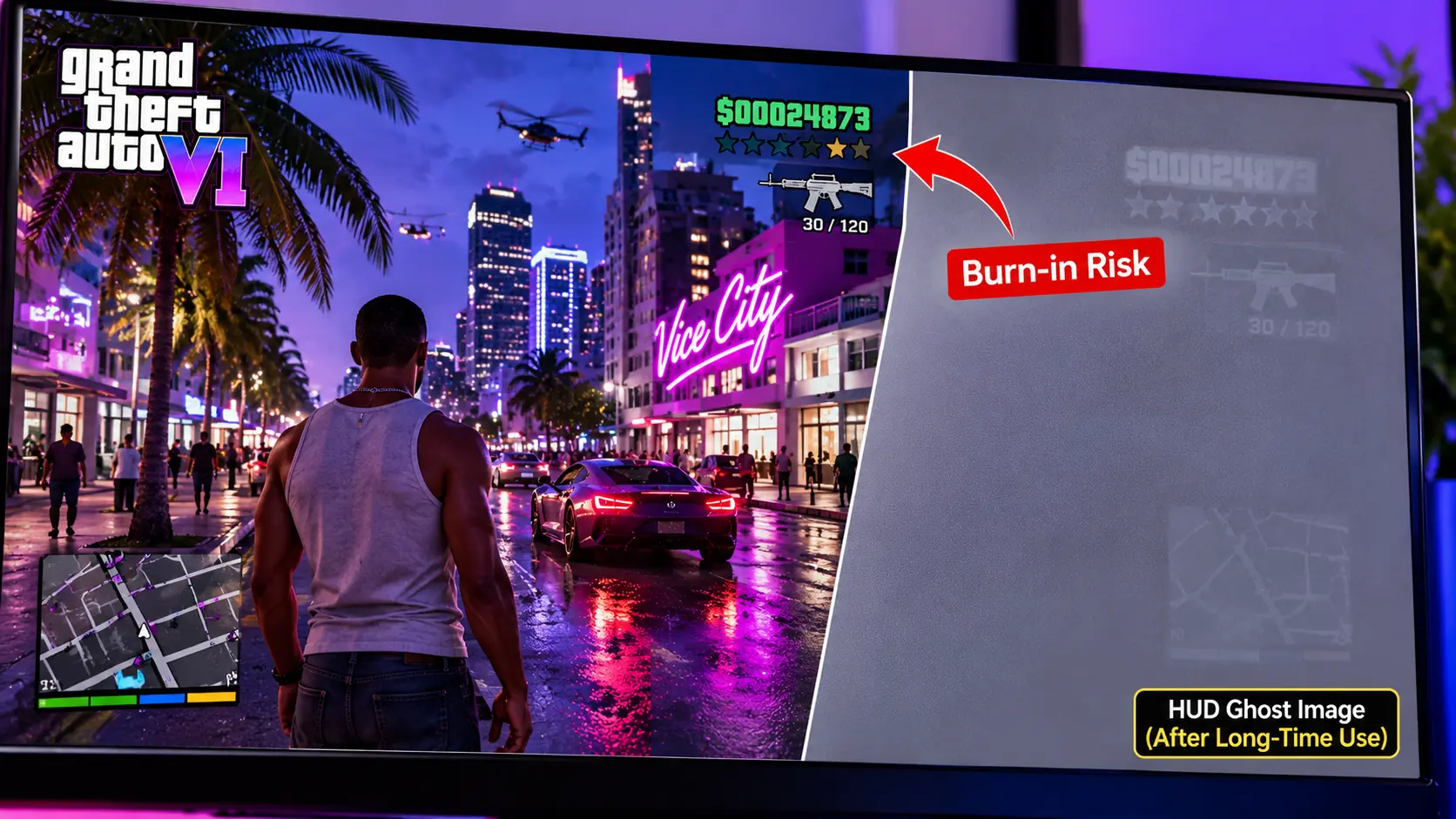
- The Burn-In Reality: GTA VI has a static mini-map and HUD. If you buy OLED, you must enable Pixel Shift and take breaks. If that worries you, a high-quality IPS or VA panel is the safer choice.
Let us be honest about the current state of monitor shopping. If you walk into a store or open a retail website today, almost every "gaming monitor" is designed for a PC. They are packed with 240Hz refresh rates, DisplayPort 1.4 connections, and features that a PlayStation 5 or an Xbox Series X simply cannot use.
But a lot of people are going to play Grand Theft Auto VI at a desk. Maybe you live in a shared house and the living room TV is always occupied. Maybe you have a small apartment and a desk is your only space. Maybe you just prefer sitting close to the screen.
In my workshop, I have tested dozens of monitors with consoles. And I can tell you this: the best monitor for GTA VI on console is not the most expensive one. It is the one that matches the console's output capabilities and the game's specific visual demands.
This guide is not a list of "top 5 monitors." It is a technician's breakdown of the specifications that actually matter for GTA VI on PS5 and Xbox, the trade-offs you need to understand, and the exact questions you should ask before you spend your money.
A console setup at a desk is becoming the norm. But the monitor needs to match the console, not a PC.
Why GTA VI Is Different From Other Console Games
Before we talk about monitors, we need to talk about the game. GTA VI is not a competitive shooter. It is not a racing simulator. It is a cinematic, open-world experience set in the state of Leonida, with the neon-soaked streets of Vice City as its centerpiece.
Rockstar has built the game to target 30 frames per second on PS5 and Xbox Series X. This is a deliberate choice. The CPU is the bottleneck, and Rockstar prioritized the density of the world—the crowds, the traffic, the ray-traced lighting—over raw frame rate [citation:1][citation:11].
What does this mean for your monitor choice?
It means that you do not need a 240Hz monitor. You do not even need a 120Hz monitor for the game itself. The game will output at 30 FPS. A 60Hz monitor can display every frame.
But here is the nuance: a 120Hz monitor with VRR (Variable Refresh Rate) and a 120Hz container can smooth out frame pacing. On Xbox Series X, the console can output a 30 FPS game inside a 120Hz signal. The monitor displays the same frame multiple times, which eliminates the judder that you would see on a 60Hz display [citation:11].
So while you do not need high refresh rates for the game, a 120Hz panel with VRR is still beneficial. It makes the 30 FPS experience smoother than a standard 60Hz office monitor.
The Four Specifications That Actually Matter for GTA VI on Console
Forget the marketing. Here is what matters.
1. HDMI 2.1 (The Non-Negotiable)
This is the most important specification. If the monitor does not have HDMI 2.1, it cannot receive a 4K 120Hz signal from the PS5 or Xbox Series X. It will be limited to 4K 60Hz or 1440p 120Hz over HDMI 2.0 [citation:2][citation:11].
Why does this matter for a 30 FPS game? Because the 120Hz container is what enables VRR. And VRR is what smooths out the frame pacing. Without HDMI 2.1, you lose that smoothing.
When you are shopping, look for the HDMI 2.1 logo. Do not trust "HDMI 2.0" or "HDMI 2.1 compatible." It must be the full 48Gbps implementation.
2. Resolution and Size (The Immersion Factor)
GTA VI was designed for 4K. Rockstar's artists built Vice City with an enormous amount of detail. At 1080p, you will lose that detail. At 1440p, you will see more, but you will still be missing the full clarity of the game's art direction [citation:1].
A 32-inch 4K monitor is the sweet spot for a desk setup. A 27-inch 4K monitor is also excellent, but the immersion is slightly less. A 32-inch 1080p monitor is too pixelated at close range. A 32-inch 1440p monitor is a compromise [citation:1][citation:4].
If you have the desk depth (at least 70cm), go for 32-inch 4K. If you sit closer, a 27-inch 4K is fine.
3. Panel Technology (The Burn-In Question)
This is where you need to be honest with yourself.
OLED offers the best picture quality you can buy. The blacks are perfect, the contrast is infinite, and Vice City's neon nights look absolutely stunning. But GTA VI has a static mini-map, health bars, and a HUD that stays on screen for hours. This is the exact condition that causes burn-in on OLED panels [citation:4][citation:6].
If you buy OLED, you must enable Pixel Shift, take breaks every two hours, and avoid leaving the game paused on screen for long periods. If you are not willing to do that, a high-quality IPS or VA panel is the safer choice. Modern 4K IPS panels offer excellent color and sharpness, and they are immune to burn-in [citation:4][citation:9].
4. VRR Support (The Smoothness Factor)
VRR is not just for high frame rates. It is also for uneven frame rates. GTA VI may target 30 FPS, but in busy city scenes, it might dip. VRR matches the monitor's refresh rate to the console's output, which prevents screen tearing and reduces stutter [citation:2][citation:11].
Make sure the monitor supports HDMI VRR (sometimes called HDMI Forum VRR). On PS5, you will need to enable it in the console settings. On Xbox, it is usually automatic.
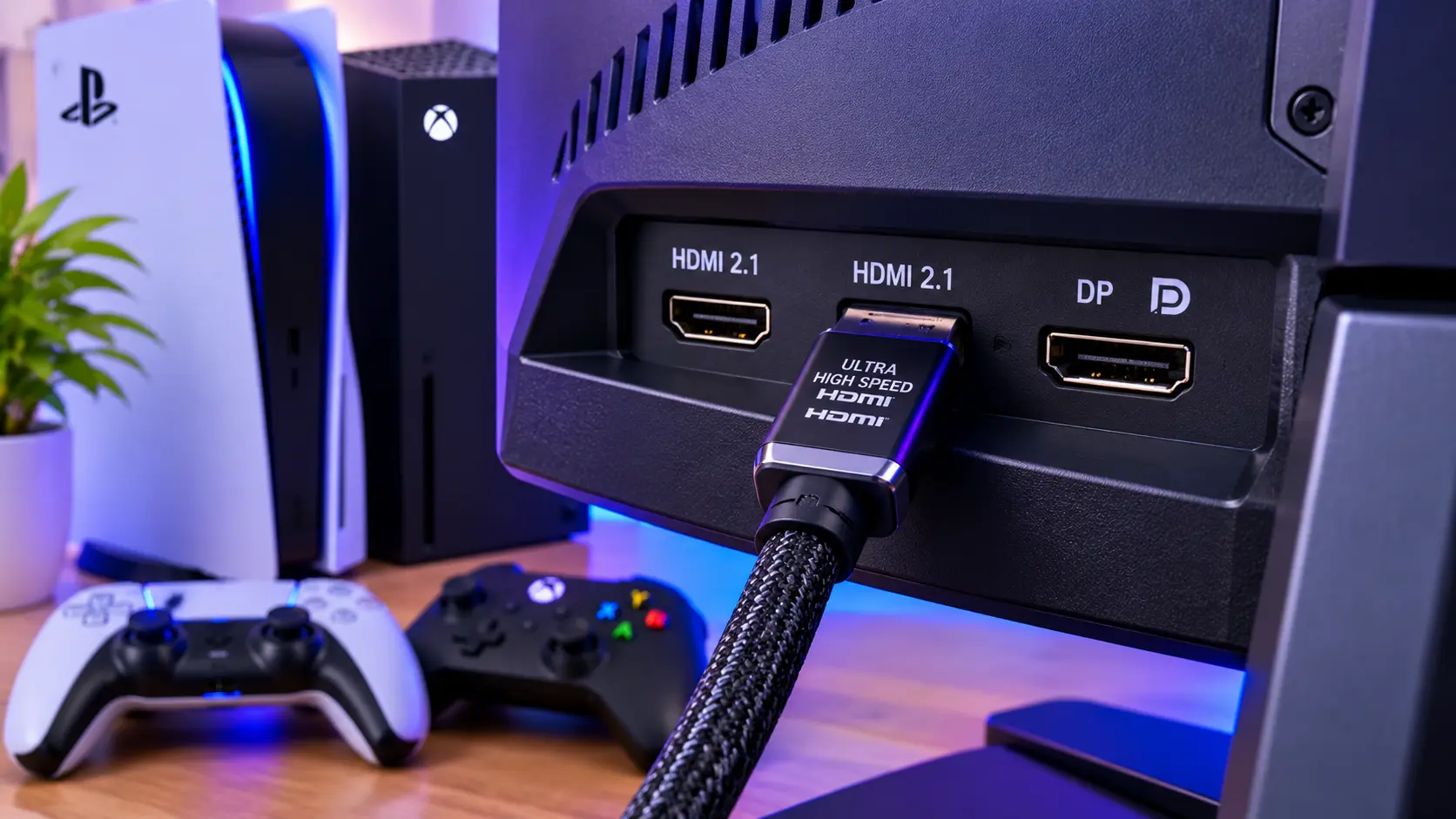
HDMI 2.1 is the only way to get 4K 120Hz and VRR from a console.
Three Scenarios, Three Monitor Recommendations
I am not going to give you a single "best" monitor. That does not exist. Instead, here are three scenarios and the type of monitor that fits each one.
Scenario 1: The Dedicated Console Desk (OLED, Burn-In Aware)
You want the best picture quality for Vice City. You are willing to manage the burn-in risk. You sit at your desk for 2-3 hour sessions, not 10-hour marathons.
What to look for: A 32-inch 4K OLED monitor with two HDMI 2.1 ports. The LG UltraGear 32GX870A is a strong example, with built-in speakers (useful if you do not have a separate audio setup) and two HDMI 2.1 ports for a PS5 and an Xbox [citation:4].
Price range: $800–$1,200.
Scenario 2: The Shared Desk (PC + Console, OLED)
You have a gaming PC and a console at the same desk. You want one monitor that handles both. You need DisplayPort for the PC and HDMI 2.1 for the console.
What to look for: A 32-inch 4K OLED with 240Hz refresh rate (for the PC), two HDMI 2.1 ports, and a DisplayPort 1.4. The MSI MPG 321URX QD-OLED is a good example. It gives you the best of both worlds: high refresh for PC gaming, and full console compatibility [citation:4].
Price range: $900–$1,300.
Scenario 3: The Bright Room / Long Sessions (IPS, Burn-In Free)
Your desk is near a window. You play in a brightly lit room. Or you regularly play for 6+ hours at a time. You want zero burn-in anxiety.
What to look for: A 32-inch 4K IPS monitor with HDMI 2.1. The LG UltraGear 27G810A (27-inch) or the Samsung Odyssey G75F (37-inch curved VA) are options in this category [citation:4]. The IPS panel will not have the perfect blacks of OLED, but it will be bright, sharp, and completely immune to burn-in.
Price range: $400–$700.
The "Don't Buy This" List
Here is what you should avoid for a GTA VI console setup.
Don't Buy a 1080p Monitor at 32 Inches
The pixel density is too low. You will see the individual pixels, and GTA VI's detailed world will look fuzzy. If you must buy 1080p, stick to 24 inches or smaller [citation:1].
Don't Buy a Monitor Without HDMI 2.1
You will lose VRR and 4K 120Hz support. The game will still play, but it will not be as smooth. For a game as cinematic as GTA VI, the smoothness matters.
Don't Buy a 240Hz TN Panel
TN panels have terrible viewing angles and washed-out colors. They are designed for competitive esports, not for a cinematic open-world game. You are paying for a refresh rate the console cannot use, and sacrificing the picture quality that GTA VI deserves [citation:9].
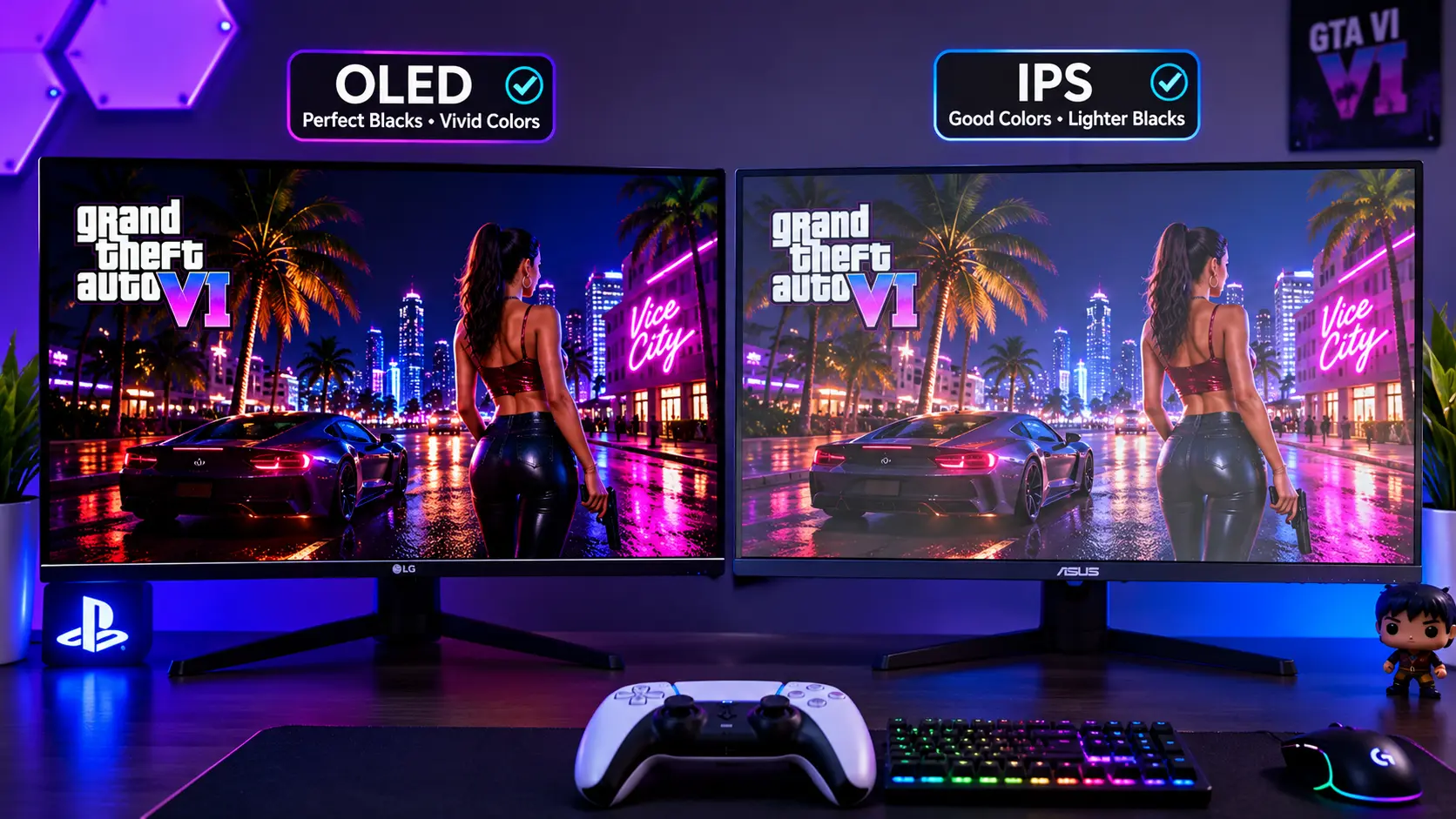
OLED (left) vs IPS (right). The OLED has perfect blacks, but the IPS is immune to burn-in.
How to Set Up Your Monitor for GTA VI (Once You Buy It)
You have the monitor. Now you need to configure it correctly. Here is the exact sequence.
Step 1: Enable HDMI 2.1 and VRR on the Console
On PS5: Go to Settings > Screen and Video > Video Output. Set Resolution to Automatic (or 4K). Enable VRR and 120Hz Output (if available) [citation:11].
On Xbox: Go to Settings > General > TV & display options > Video modes. Enable Allow 4K, Allow 120Hz, and Variable refresh rate [citation:8].
Step 2: Enable VRR on the Monitor
Use the monitor's OSD (On-Screen Display) menu. Look for Adaptive Sync, FreeSync, or VRR. Enable it.
Step 3: Calibrate HDR
GTA VI will support HDR. Use the console's HDR calibration tool. On PS5, go to Settings > Screen and Video > Video Output > Adjust HDR. On Xbox, go to TV & display options > Calibrate HDR. Do not skip this step. It makes a massive difference in Vice City's neon-lit nights.
Step 4: Run a Screen Test
Before you play, run the free Screen Medic diagnostic tool on your new monitor. Check for dead pixels, uniformity issues, and backlight bleed. If you find a defect, return the monitor before the return window closes. For a complete guide, read my article on How to Test Your Monitor Like a Pro.
Frequently Asked Questions (FAQ)
Is a 240Hz monitor worth it for GTA VI on console?
No. The PS5 and Xbox Series X output GTA VI at 30 FPS. A 240Hz monitor cannot make the game run at 240 FPS. You are paying for a feature the console cannot use. A 120Hz monitor with VRR is the better choice [citation:1][citation:2].
Will GTA VI cause burn-in on my OLED monitor?
It can, if you are not careful. The static mini-map and HUD are risk factors. Enable Pixel Shift, take breaks, and avoid leaving the game paused for hours. If you are worried, buy an IPS or VA panel instead [citation:4][citation:6].
Do I need a 4K monitor for GTA VI?
You do not need one, but the game was designed for 4K. A 32-inch 4K monitor gives you the best balance of immersion and sharpness. A 1440p monitor is a compromise, and a 1080p monitor at 32 inches is too pixelated [citation:1].
What is the best monitor size for GTA VI at a desk?
A 32-inch monitor is the sweet spot for most desks. A 27-inch monitor is better if you sit very close. A 37-inch or larger monitor is too big for a typical desk and requires a deeper surface [citation:4].
Does the Xbox Series S work with the same monitors?
Yes, but the Series S outputs at 1440p, not 4K. You do not need a 4K monitor for a Series S. A 1440p monitor with HDMI 2.1 is a better match for the console's capabilities [citation:11].
Can I use a TV instead of a monitor for GTA VI?
Yes. Many players prefer a TV for the larger screen and built-in speakers. But a monitor offers lower input lag and a more intimate viewing experience at a desk. The choice depends on your space and preferences.
What is the best budget monitor for GTA VI on console?
A 27-inch 1440p IPS monitor with HDMI 2.1. You will sacrifice 4K resolution and OLED contrast, but you will get a smooth, responsive experience at a much lower price. Expect to pay $300–$500.
Final Thoughts: Match the Monitor to the Game, Not the Hype
The monitor industry wants you to buy the most expensive, highest-refresh-rate panel on the market. But GTA VI is not a competitive shooter. It is a cinematic experience. The best monitor for this game is the one that delivers the picture quality and smoothness that Rockstar intended, without paying for features your console cannot use.
Here is your checklist:
- HDMI 2.1 (mandatory).
- 4K resolution (recommended).
- 32-inch size (sweet spot for desk).
- OLED if you want the best picture and accept the burn-in risk; IPS if you want peace of mind.
- VRR support (for smoother frame pacing).
- Run a dead pixel test before you play.
If you want to check your new monitor for defects before you lose yourself in Vice City, use our free Screen Medic diagnostic tool. It takes 60 seconds and could save you from a return nightmare.
Related Guides
- The Ultimate Monitor Buying Guide 2026
- How to Test Your Monitor Like a Pro: 5 Essential Checks
- OLED vs LCD: Which Display Technology Is Better?
- What is Screen Burn-In? How to Detect, Prevent, and Fix It
- Backlight Bleed vs IPS Glow: How to Test and Tell Them Apart
- Refresh Rate Guide: 60Hz vs 120Hz vs 144Hz vs 240Hz
- GTA 6 Display & Screen Test Guide: Protect Your OLED & Calibrate HDR
- What is a Dead Pixel? The Complete 2026 Guide
- Dead Pixel vs Stuck Pixel: What's the Difference?
- How to Test a Used Monitor Before Buying
💬 Leave a Comment
Have a question or something to add? Share your thoughts below.
Loading comments...